Pay Period Management
Pay periods can be managed and closed easily in Hero Schedule. When a pay period is closed, it settles all numbers and prepares them for export to a spreadsheet.
Pay period closing
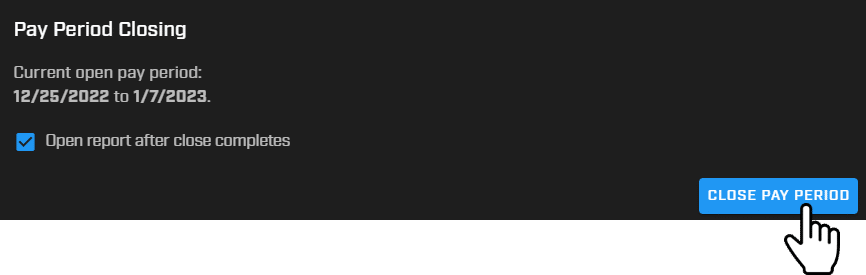
Administrators can close a pay period, which completes all activities in a pay period cycle including leave, FLSA restrictions, overtime, etc. Select the option to open the spreadsheet report once the pay period is closed.
Auto-closing pay periods
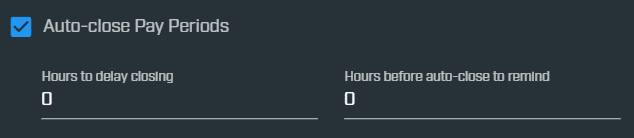
Pay periods can be automatically closed at the end of a set timeframe. Hero Schedule sends you an automated pay period report with all the numbers needed to complete payroll.
Download pay period report
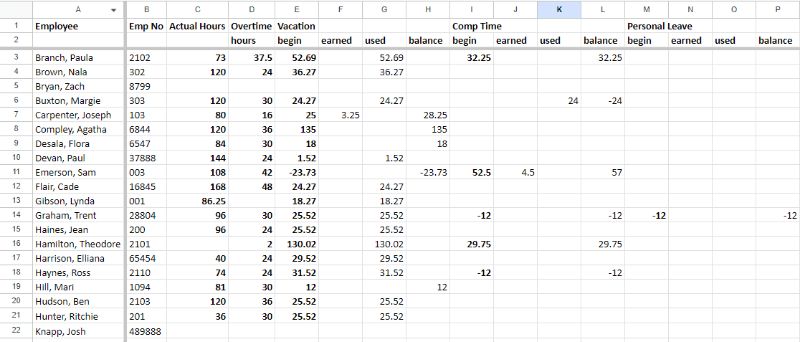
A pay period report spreadsheet is available for download once a pay period is closed. This lists all information by employee: employee number, group, actual hours worked, overtime hours, vacation hours earned and used, etc.
Customizable payroll reports
Excel/CSV pay period report formatting is completely customizable. Choose which columns to display and use formulas to create a report that is helpful to your agency. This functionality allows the Hero Schedule system to integrate into most payroll software ecosystems.

View past pay period reports
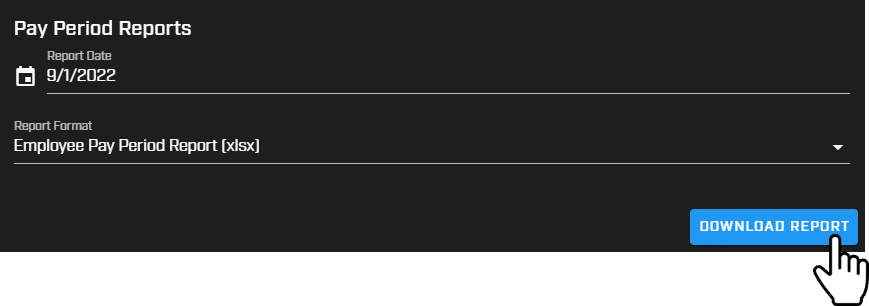
All past pay period reports can be downloaded. Select the date and format for download (XLSX or CSV).
View & edit upcoming pay periods
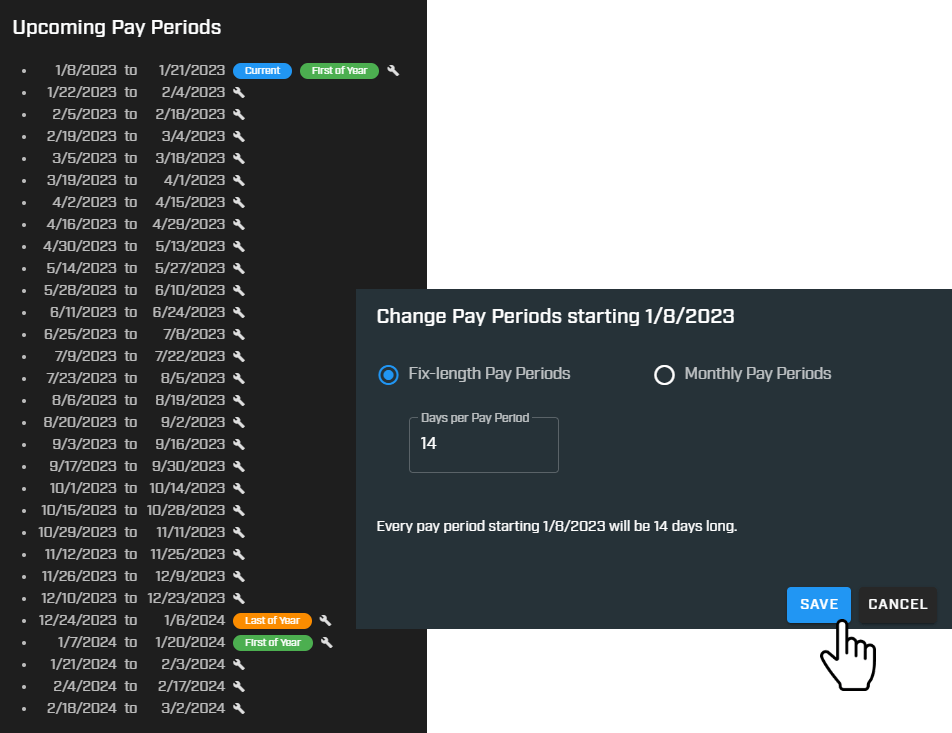
All upcoming pay periods can be viewed from the Manage Pay Periods screen. In some instances, an agency needs to change it's pay period starting on a certain day. This can be done by clicking the edit icon and selecting Fix-length Pay Periods or Monthly Pay Periods.